
🔍 Traceroute and Ping Commands: The Secret Tools Behind Every Network Fix
You open a website…
It keeps loading… spinning… and then—nothing.
Now you start guessing 👇
“Is my internet slow?”
“Is the website down?”
“Or is something broken in between?”
Here’s the truth…
👉 Professionals don’t guess.
👉 They test.
And the two most powerful tools they use are:
Traceroute and Ping commands
Let’s break them down in the simplest, story-style way so you’ll never feel confused again.
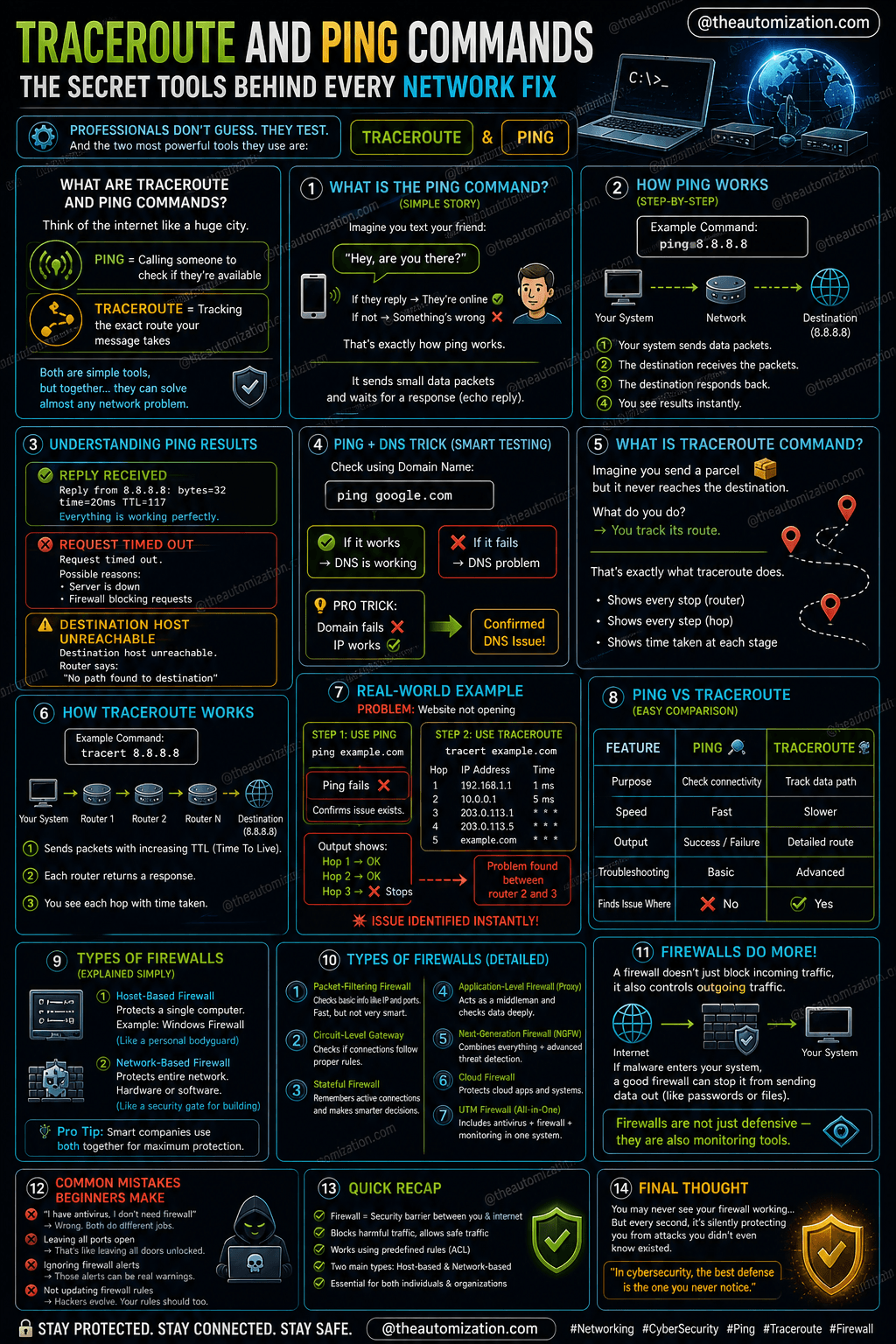
🌐 What Are Traceroute and Ping Commands?
Think of the internet like a huge city 🏙️
Ping = Calling someone to check if they’re available
Traceroute = Tracking the exact route your message takes
Both are simple tools, but together…
👉 They can solve almost any network problem.
🏓 What is the Ping Command? (Simple Story)
Imagine you text your friend:
“Hey, are you there?”
If they reply → They’re online ✅
If not → Something’s wrong ❌
That’s exactly how the ping command works.
👉 It sends small data packets
👉 Waits for a response (echo reply)
⚙️ How Ping Works (Step-by-Step)
When you type:
ping 8.8.8.8
Here’s what happens:
Your system sends data packets
The destination responds back
You see results instantly
📡 Understanding Ping Results
✅ Reply Received
👉 Everything is working perfectly
❌ Request Timed Out
👉 Possible reasons:
Server is down
Firewall blocking requests
⚠️ Destination Host Unreachable
👉 Router says:
“No path found to destination”
🌍 Ping + DNS Trick (Smart Testing)
You can also test like this:
ping google.com
👉 If it works → DNS is working
👉 If it fails → DNS problem
💡 Pro Trick:
Domain fails ❌
IP works ✅
👉 Confirmed DNS issue
🧭 What is Traceroute Command?
Now imagine you send a parcel 📦
But it never reaches the destination.
What do you do?
👉 You track its route.
That’s exactly what traceroute command does.
It shows:
Every stop (router)
Every step (hop)
Time taken at each stage
⚙️ How Traceroute Works
When you type:
tracert 8.8.8.8
It will:
Send packets across the network
Show each router it passes
Display time taken at each hop
🧨 Real-World Example (Very Important)
❌ Problem:
Website not opening
Step 1: Use Ping
Ping fails → confirms issue
Step 2: Use Traceroute
Output shows:
Hop 1 → OK
Hop 2 → OK
Hop 3 → ❌ Stops
👉 Problem found between router 2 and 3
💥 Issue identified instantly
🔍 Hidden Insight (Most People Don’t Know)
Here’s something powerful…
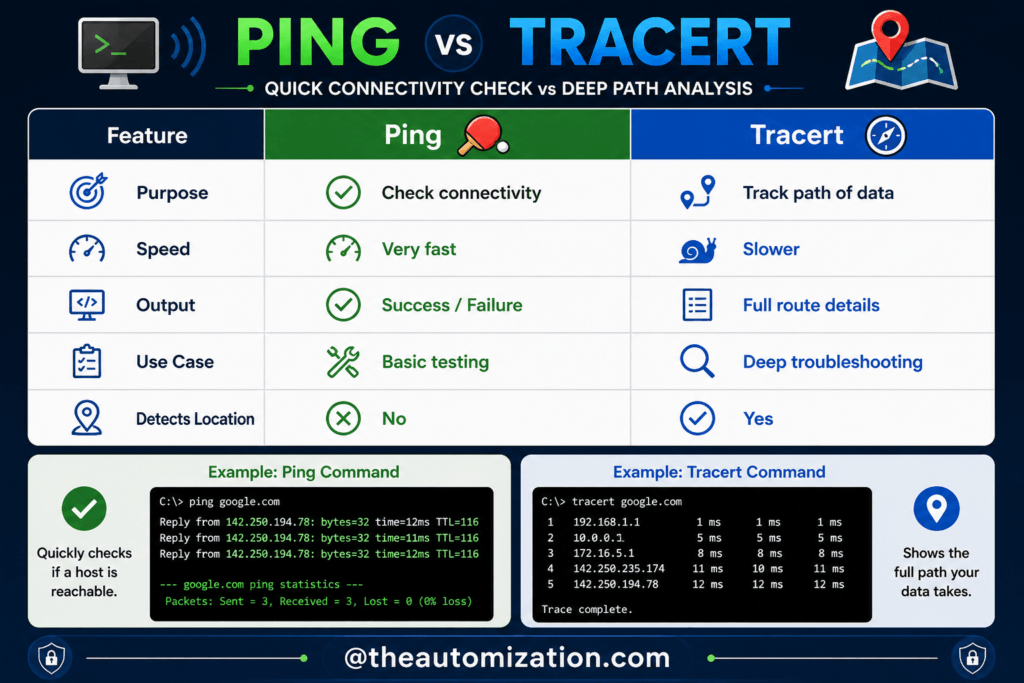
👉 Ping tells you IF something is wrong
👉 Traceroute tells you WHERE it is wrong
💡 Together = Complete network diagnosis system
❌ Common Mistakes Beginners Make
🚫 Thinking “Request Timed Out” = Internet Down
👉 Could just be firewall blocking ping
🚫 Not testing with IP address
👉 Always test DNS vs IP
🚫 Using only Ping
👉 You need traceroute for deeper issues
🚫 Ignoring hop delays
👉 High latency = network bottleneck
⚡ Quick Recap
Ping = Check connection
Traceroute = Track path
Ping uses echo replies
Traceroute shows hops
Both are essential tools
🚀 Final Thought
When your internet stops working…
Most people panic.
But now?
You have Traceroute and Ping commands in your toolkit.
👉 No guessing
👉 No confusion
👉 Just clear answers
Because in networking…
The problem is always there — you just need the right tool to find it.